How Outpost differs
Both the server (ModernUO) and the client (ClassicUO) are open source, and Outpost changes a few things in each. Several of the server changes are taken from UO Outlands, a long-running shard known for its take on the classic game.
The world
| Change | Does |
|---|---|
| Mondain’s Legacy rules | Elves and Spellweaving on top of Samurai Empire: the last expansion ModernUO has the content of. Gargoyles and Ter Mur are not part of it |
| No Trammel | Britannia is Felucca only, where players can fight and loot each other. Malas, Ilshenar and Tokuno keep Trammel’s no-fighting rules, except between guilds at war and in Malas’s two big dungeons (below). New characters are Young for their first 40 hours of play, safe from other players and many monsters, and cannot enter Felucca until it ends |
| Everyone starts in Luna | Every new character, whatever their trade, in the walled city of Malas, with no city to choose |
| Dungeons on foot | No travel magic into or out of any dungeon and no riding inside; mounts wait in the stables. Stock ModernUO only stopped it in Felucca’s dungeons. From UO Outlands |
| Fighting in Doom and the Labyrinth | Malas’s two big dungeons play by Felucca’s rules: anyone may attack and loot anyone inside, Young players aside. Luna and the rest of Malas stay safe |
| Escape gates | A red moongate deep in a dungeon leads straight out to its entrance. From UO Outlands |
| Power scrolls from dungeon bosses | Creatures of 20,000 fame or more (balrons, ancient wyrms and the like) killed in a dungeon leave a 105 power scroll one time in ten. Stock, they only come from champion spawns. After UO Outlands’ Skill Mastery |
| Harvest by targeting yourself | Target yourself with a pickaxe, shovel, hatchet or fishing pole to work the nearest ore, tree or water in reach. Mining this way finds ore, never sand. From UO Outlands |
| Insta-hit melee | A melee swing lands as soon as its timer runs out, without waiting for the attack animation. From UO Outlands |
| One player per address | Only one player can be in the game from one internet address at a time. Everyone in the same house shares an address, so only one of them can play at once. After UO Outlands’ one client for fighting other players |
| Spawns at the right height | Creatures and shopkeepers spawn on the floor their spawner stands on. Stock ModernUO put them on the lowest surface, so they appeared under floors in Zento, inside caves below towns and on lower dungeon levels |
| Monsters seen further off | Creatures and people are sent to the client out to 24 tiles, the furthest ClassicUO draws, instead of 18, so they no longer pop into view well inside a large window |
| Older quests on the Quests button | The paperdoll’s Quests button shows a running quest of the older kind, such as Terrible Hatchlings, which the stock quest log left out |
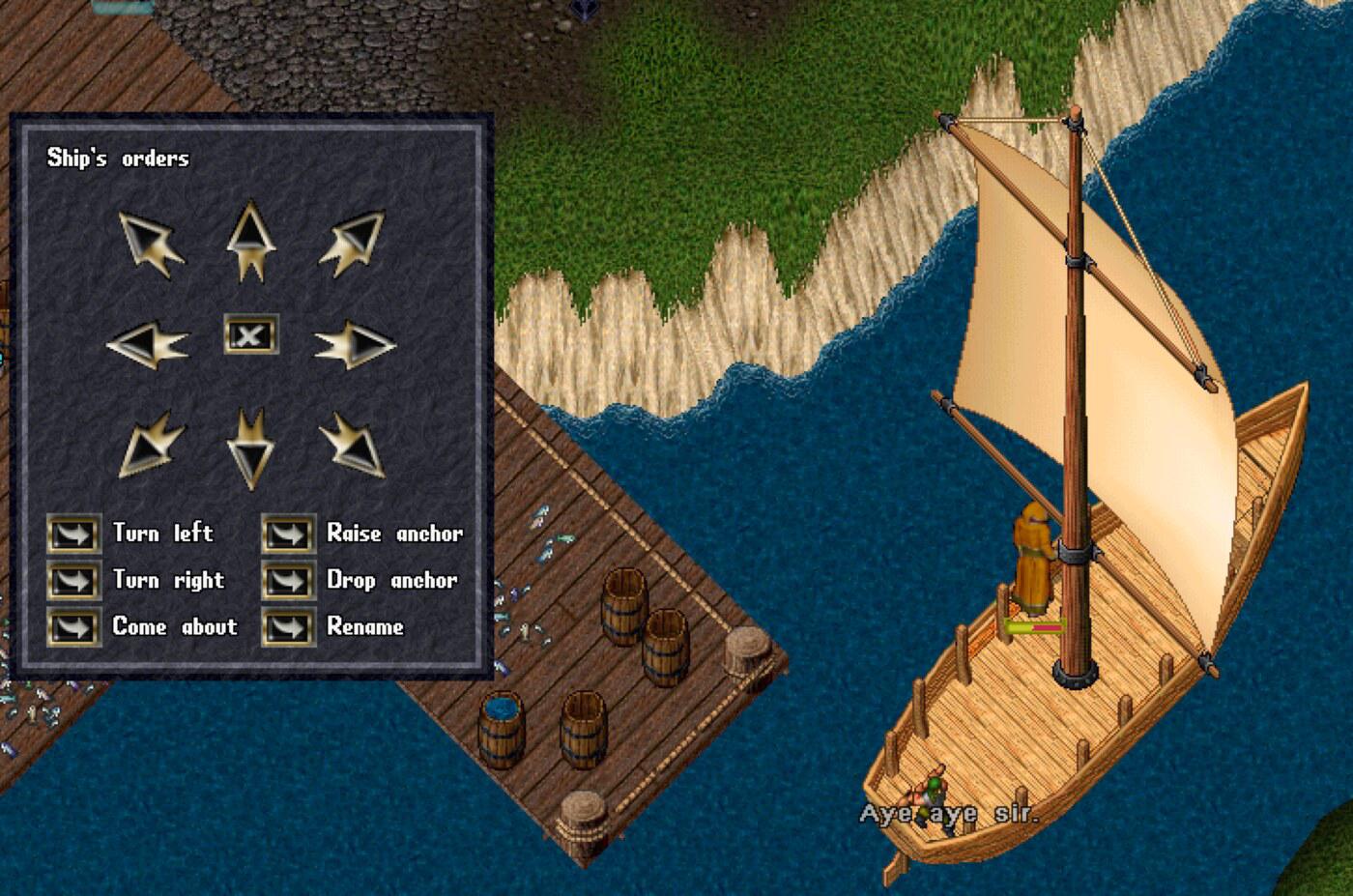
| Boats glide | Boats move smoothly from tile to tile, as they did from High Seas on, instead of jumping. Slow sailing is a little quicker as a result |
| Ship’s orders window | Double-clicking the tillerman on deck opens a window of buttons for the ship’s orders. Stock, it only asked for a new name for the ship, and orders had to be typed (Boats) |
| Staff arrive in a storm | A member of staff coming out of hiding brings lightning, thunder and a white flash, so players know they are there |
| Saves after play | The world saves every five minutes while anyone has played since the last save, and not otherwise |
| Accounts on this site | Logging in with an unknown name does not make an account; accounts are made under Account |
The client
| Change | Does |
|---|---|
| No city screen | Outpost has one starting city, Luna, so the city map is skipped |
| No shard list | The login server lists one shard, so it is picked without a click |
| Taller name box | The character name box fits its font: the stock one cut off letters and hid the cursor |
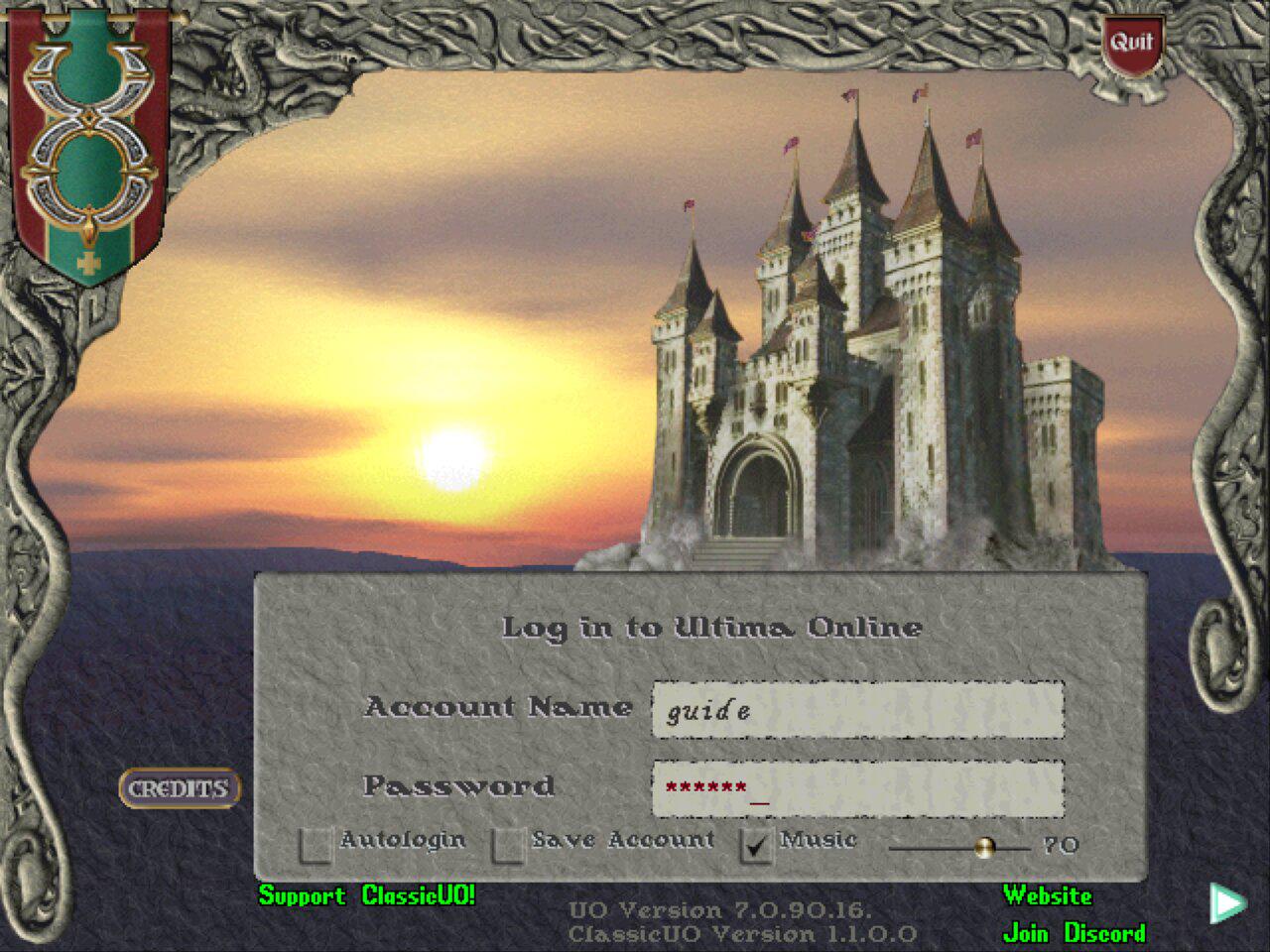
| Samurai Empire login screen | The older stone border and castle sunset login, as on the Samurai Empire disc |
| Party on the world map | Party members far away show on the world map; the stock client never asked the server where they were |
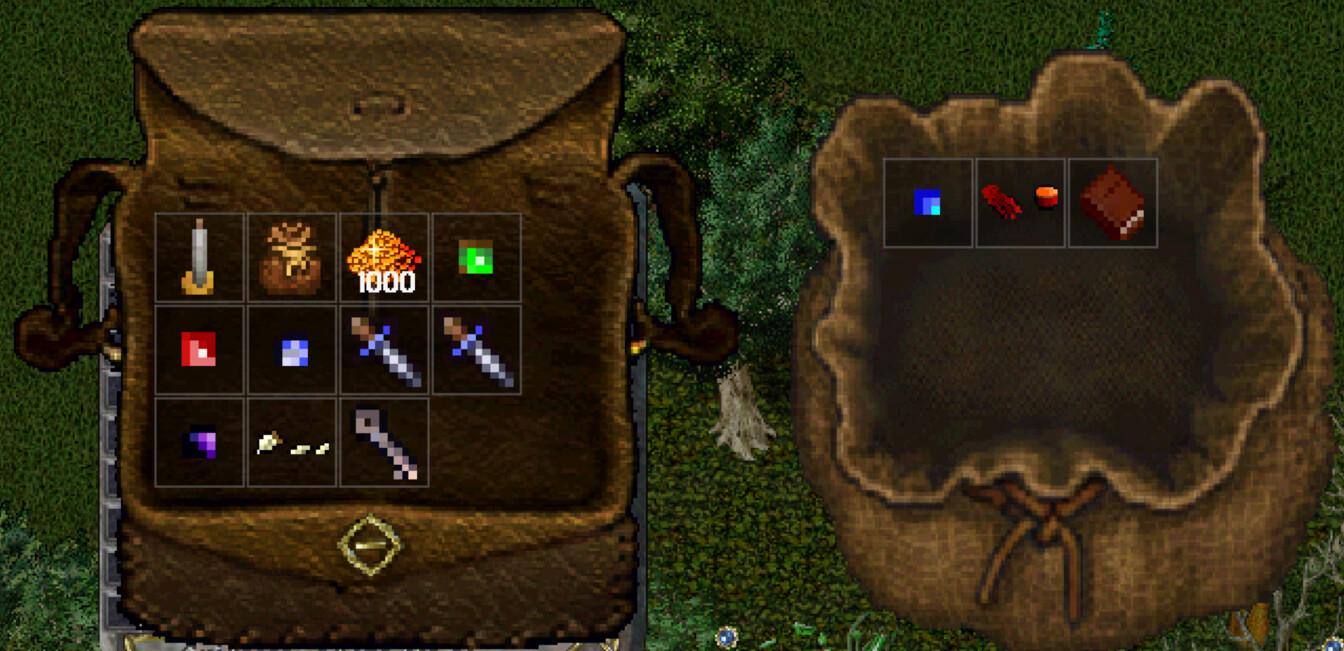
| Grid containers | Backpacks, bags, chests and the bank box lay their contents out in a grid of equal squares, like items together, instead of piled where they landed. A key or a gem gets a whole square to click, as big as a sword’s. Drag the small square at the window’s bottom-right corner to make the container bigger, which fits more squares; a full one scrolls. Corpses keep the classic look. After TazUO, another ClassicUO-based client |
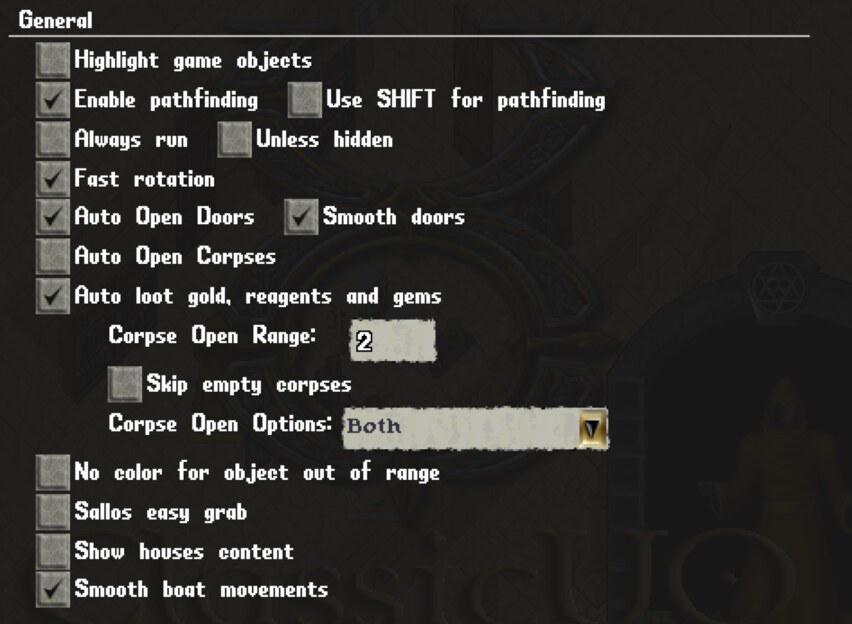
| Auto loot | Options: Auto loot gold, reagents and gems, off at first. Opens corpses next to you and moves gold, reagents and gems into your backpack. Human, elf and gargoyle corpses are only looted if their owner was a criminal or murderer, or you are |
| Ready-made macros | New characters start with six macros on F1 to F6: heal self, recast on last target, attack nearest, bandage self, and pets follow and guard (The screen and controls) |
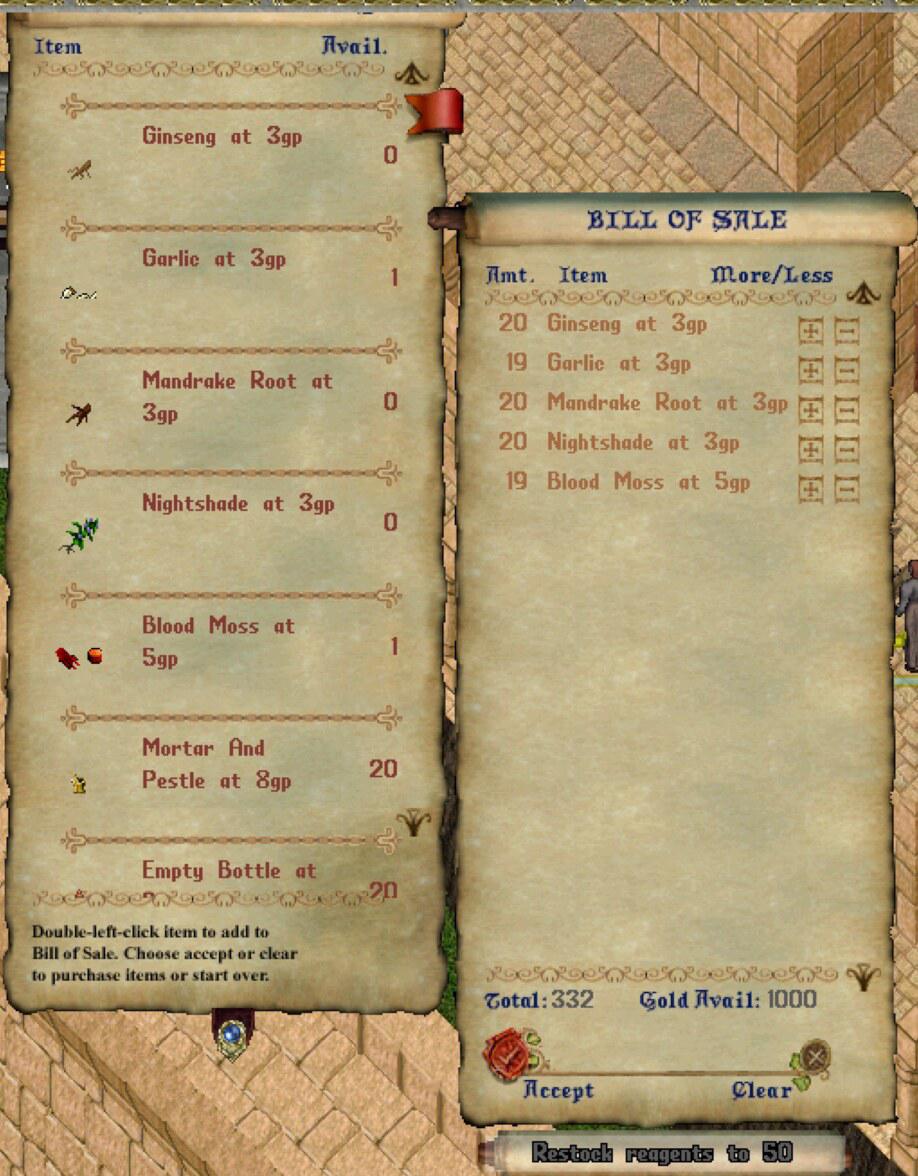
| Restock reagents | A Restock reagents to 20 button under the bill when buying from a shop that sells reagents. Pressed again it reads to 50 and tops up to 50. Anything bought that stacks goes onto the pile of the same kind already in your backpack, the most deeply nested one when there are several, such as the reagents in a reagent bag |
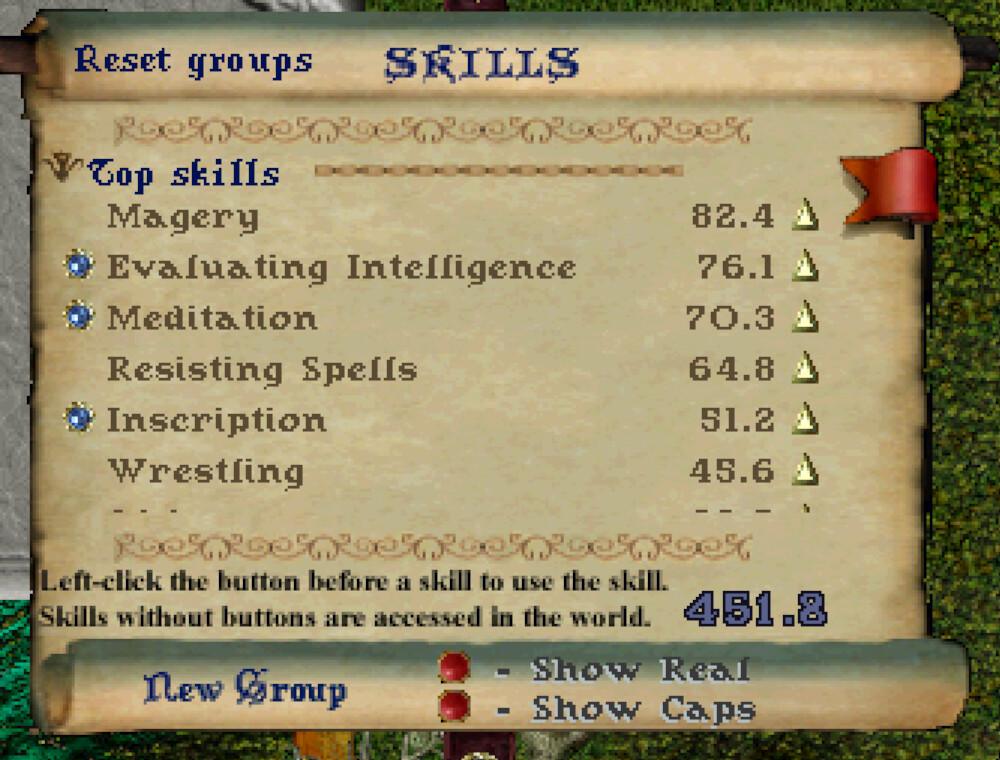
| Top skills | The skills window opens with a Top skills group: your seven highest skills, highest first, kept up to date as they change |
| Window size kept | The world window comes back at the size you left it |
| Running past the window’s edge | Holding the right button to run keeps going when the pointer reaches the window’s edge. Stock, on Linux the run stopped there |
| Web address with a path | The client can connect through an address such as ws://outpost/uo, a bridge behind a web server. Stock, it put the port after the path and failed |
Set on every start, so every character plays the same:
- graphics at their best: shadows, coloured lights, animated water, swinging doors, slightly darker nights
- the world drawn the same size on any screen (a 4K display scales it up), filling the window rather than a small box in its corner
- walls and roofs fading in a circle around your character, so you can see them behind buildings
- doors opening as you walk into them, double right-click to walk somewhere, turning on the spot without a step’s delay, sound carrying on when the window is not focused, an HP line under every creature
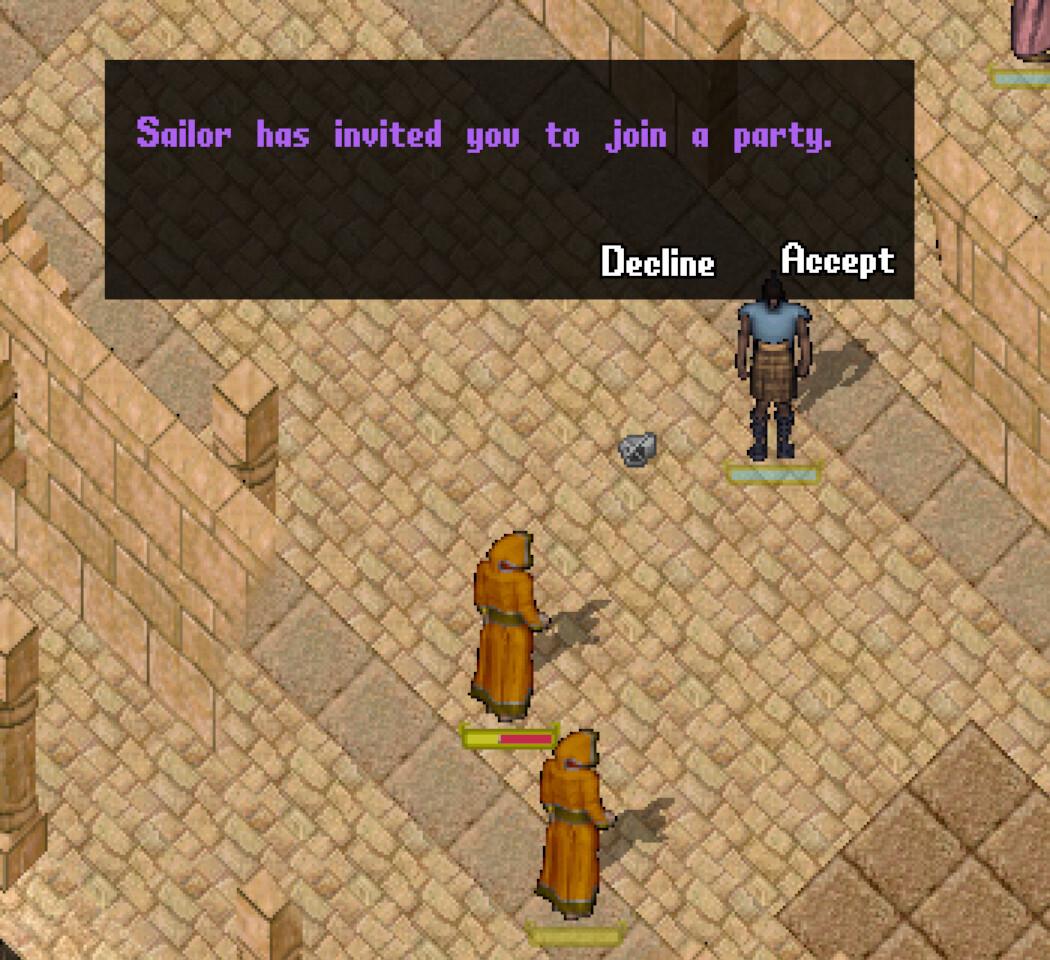
- boats gliding between tiles, and a party invite opening an Accept and Decline window rather than only a line of chat (below)
- a shop’s list tall enough to fit the screen
- an ordinary window you can resize, not fullscreen