Guilds and parties
Parties
A party is for a hunt: shared chat, and members shown on each other’s world map wherever they are.
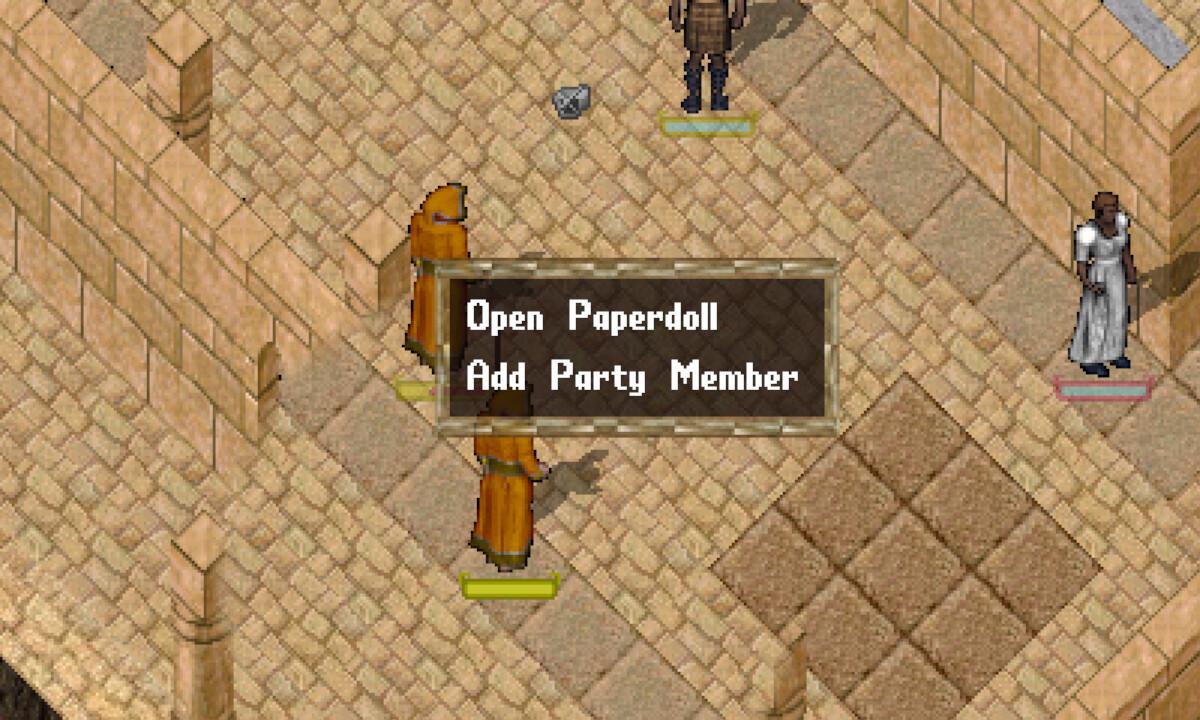
To invite someone, click them once and choose Add Party Member from their menu. It is there when neither of you is in a party, or when you lead the party they would join.
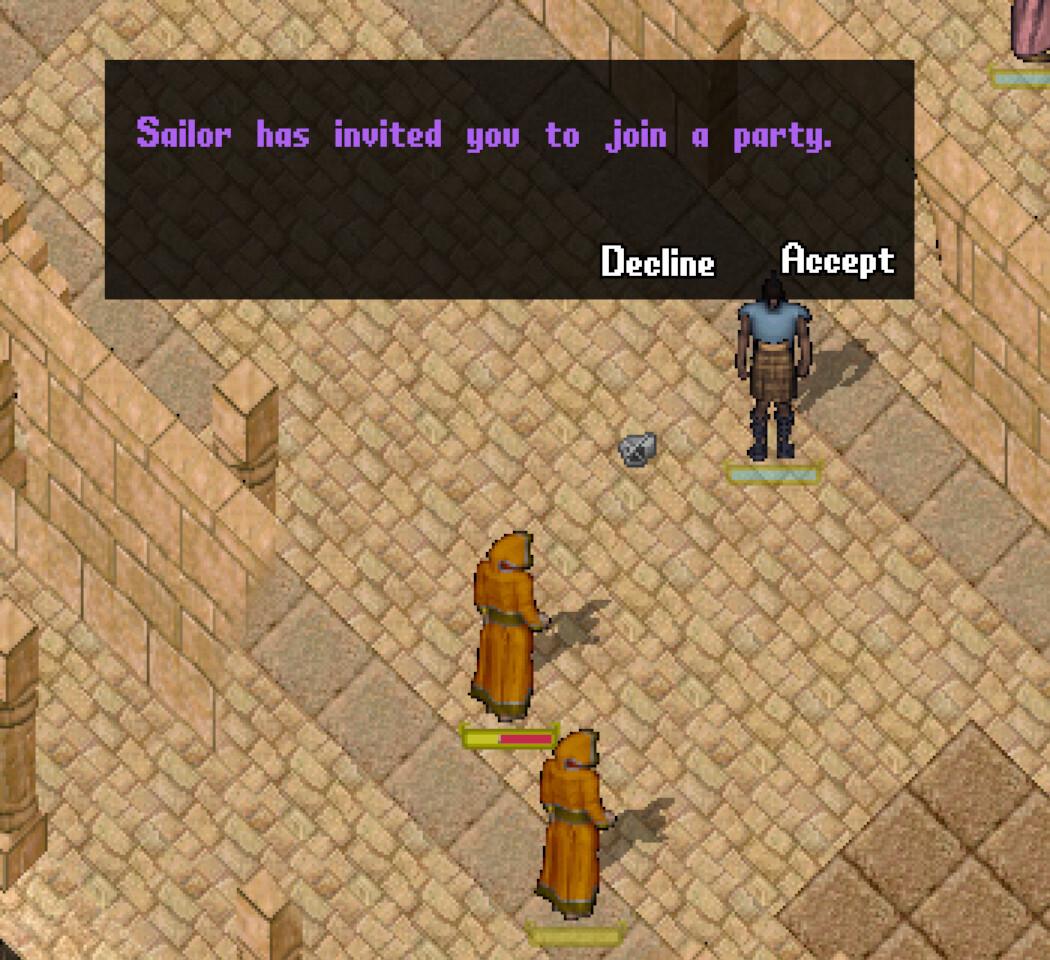
They get a window to accept or decline. It declines by itself after 30 seconds.
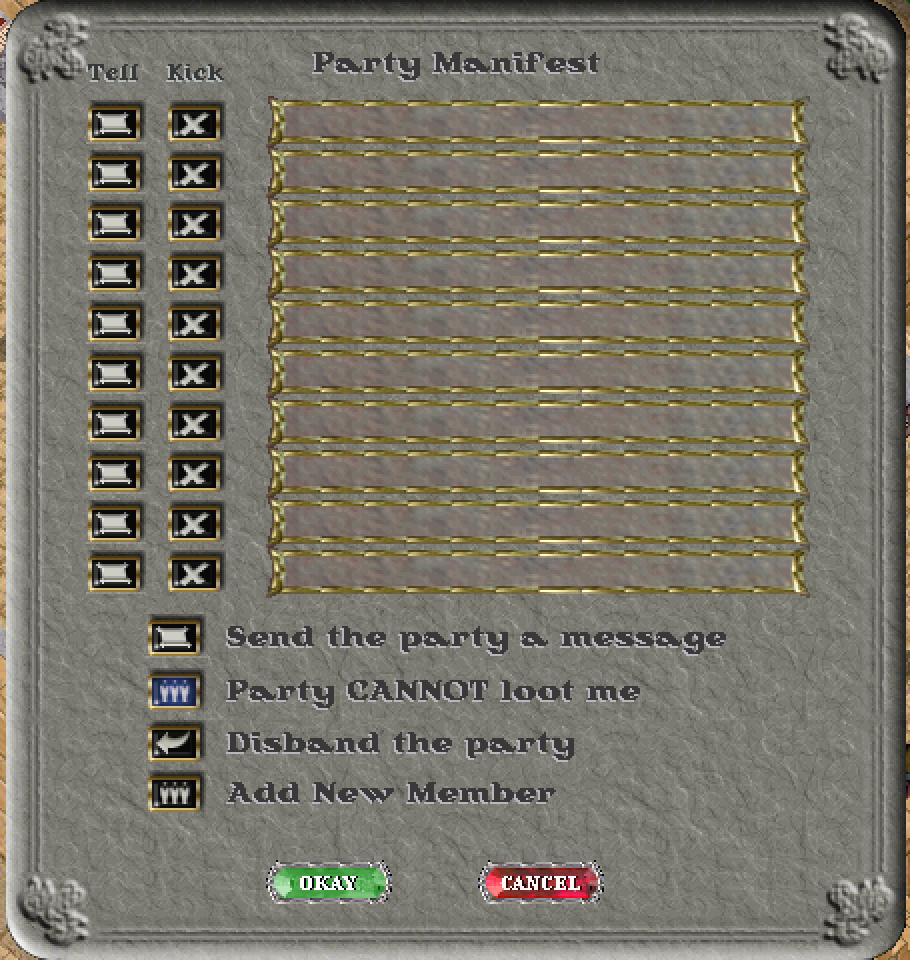
The party manifest does the same: open it from the scroll at the bottom left of the paperdoll, press Add New Member and click the other player.
- Start a line with a slash to talk to the party only: /meet at the bank
- Switch on Show party members in the world map’s right-click menu to see them on the map
- Party CANNOT loot me is a toggle. Click it to let party members take items from your body if you die, which helps a friend fetch them
- Disband the party ends it
Guilds
A guild is a named group with its own chat, a short tag after members' names, and relations with other guilds. The tag after a player’s name shows their guild: ask a member to invite you. With no guild to join, found one:
- Buy a guild deed from the provisioner (12,450 gold)
- Double-click it inside your house. It becomes the guild stone
- Double-click the stone, or press Guild on the paperdoll, to name the guild, set its abbreviation and invite members (they must accept)
Guild chat starts with a backslash: \meet at the stone.
From the guild menu a guild can declare war on another guild, or make an alliance. Members of guilds at war can fight each other anywhere, Malas included, without becoming criminals; allies show green to each other. See Player against player.